App Army guide: agentic mobile app development
App Army is a team of AI helpers that builds a mobile app with you, from the first idea to the App Store and Google Play, and helps you keep improving it after launch. It runs inside Claude Code, Anthropic's coding tool, on your own computer or on a rented server you message from Telegram. You type one sentence, "new app: a water tracker that reminds you based on your real day", and it goes through the same steps every time. It tells you when a step starts and only stops when it needs your decision. It is the system we used to ship 25 apps, 3 of which were sold.
This page covers everything, step by step: what you get, how you use it, each step from idea to the week after launch, and what you still do yourself. Use the contents to jump to the part you need.
What you need, in one line: a Mac or an Ubuntu computer (Windows is not supported), a paid Claude plan, a free GitHub account, and later your own Google Play and Apple developer accounts. The full list is in what you need.
The short version
"Agentic mobile app development" is a long name for a simple idea: instead of one AI chat that you guide line by line, a group of AI helpers (we call them agents) each own one job. One plans, one builds, one checks the onboarding, one checks the paywall, one checks that the build still works, and so on. They hand work to each other and come back to you at the moments that need a person.
App Army is that group, set up for mobile apps. It is a folder of agents, playbooks (we call them skills), long expert prompts, safety checks and small command line tools. It runs in the normal Claude Code program with your own Claude account. Nothing runs on our servers.
It comes in two forms: a plugin that adds it to Claude Code in any project, and the full kit with bots you message from Telegram. This guide covers both. What each one includes and what it costs is near the end, in the plugin and the kit.
Who it is for
- Developers who use Claude Code and want to ship more apps with less hand holding.
- Indie makers who publish small subscription apps and care about onboarding, paywalls and store listings, because that is where the money is made or lost.
- People who have never built an app. You paste one command or one sentence, sign in to a few websites, create the store accounts, and answer questions in plain words. You do not need to know Kotlin, Gradle or Xcode. The first app guide and the glossary are written for you.
Who it is not for
- People who want an app built for them with no setup. You install, run and update it yourself. (If you want us next to you, see Build With Me.)
- People who want a web app or a backend product. Everything here is made for phone apps.
- People who expect zero review. The agents make mistakes, so you check their work before you publish or spend money. If you do not read code, check the result instead: install the build on your phone, tap through it, and read the short summary it sends before you say yes.
How you use it, day to day
From paying to "tell me your app idea"
This is the experience the kit is built around:
- You pay on kappmaker.com.
- From your purchase page you copy one thing. Either a sentence you paste into your AI ("Set up App Army on my server at 1.2.3.4", with the KAppMaker connection added to Claude), or one command you paste into a terminal on your laptop or server.
- You wait. It only asks you for the things a person has to do: sign in to Claude (a link opens in your browser), create a Telegram bot with Telegram's BotFather and hand over its token (the exact steps are shown, and the token goes into a private form or a hidden prompt, never a chat), and send your new bot a first message.
- Your bot writes first: "Your App Army is ready. Tell me your app idea."
- From then on you build your app from Telegram, the same way we do.
Everything between those steps (installing the tools, securing a fresh server, wiring the safety checks, connecting the bot) happens without you.
The other ways in
- Plugin: you give your GitHub username at checkout and accept the invite GitHub sends you, let git reach GitHub once (one login command), then run two install lines. The plugin page has every line, including the steps for the desktop app. You need Claude Code 2.1.330 or newer, and Python 3 for the screenshot scripts.
- Kit on a laptop: the same install command works on a Mac or an Ubuntu laptop. There you usually type to Claude Code in the terminal (the text window where you run commands). Telegram bots belong on a server, because a laptop that sleeps stops them.
- No server yet: a VPS is a computer you rent in a data centre by the month. The rent a VPS guide shows which one to rent from any provider and exactly what to pick. No Linux knowledge needed. On a new server the installer turns on a firewall and switches off password logins, so only your own key gets in.
When it is done, a health check (kappmaker-army doctor) shows every part green or tells you what to fix, and kappmaker-army doctor --fix fixes most of it for you.
Then you just talk to it
On a laptop you type in Claude Code. On a server you message your bot on Telegram from your phone. Either way you write plain sentences:
- "New app: a water tracker that reminds you based on your real day."
- "Status." or "What's left before launch?"
- "Make the paywall clearer. Keep going."
- "Remember: the paywall always comes right after onboarding."
When it needs a decision it sends a short numbered list with a default, like "1. Sprout (recommended) 2. Sipwise 3. Dewdrop. Say 'go' for 1." You reply with a number, "go", or your own words. Long jobs start with one short line and end with one message, with nothing in between.
Several bots, several apps, one machine
On a server you can run more than one worker (a Claude Code session that stays on all the time), each with its own Telegram bot. One can build your water tracker while another fixes the paywall on your piano app. They share the same projects folder, so three things keep them out of each other's way:
- Claims. A worker records which app it is on. If another worker already has that app, the new one asks you before it carries on. Messages about an app another worker owns get passed to that worker.
- One build slot. Building a phone app is the heaviest thing the machine does. Only one build runs on the box and the others wait their turn, so the server does not run out of memory and crash halfway. More workers need more memory.
- Locked shared writes. The shared folders (lessons, rules, reusable features) are written one worker after another and saved to git, so two workers cannot overwrite each other's notes.
The board
Ask for your board and the bot sends a link that works once and expires in ten minutes. It opens a read-only web page that shows every app: how far its checklist is, which worker is on it right now and what changed recently. It cannot change anything, on purpose. Anything you want done goes back through the chat.
The journey, idea to day 7
"New app: <idea>" starts the same order every time. Skipping or swapping steps is what turns a three day app into a three week one: a paywall designed before the onboarding, or code written before the design is settled, both get redone. So the order is fixed, and the worker runs it by itself.
Your job is the decisions. The army does the rest. It tells you in one line when each step starts, sends one message when it ends, and only stops at the steps marked "you decide" below. Everything else runs without you.

The checklist plans about three working days of worker time per app. Your own time is much shorter: reading what it sends and replying, spread over those days.
- 1
Idea scored you decide
Competitors, demand, price, a score. You say "go".
- 2
Name you decide
Three names, one recommended. You pick.
- 3
Design pass 1: the general look you decide
Google Stitch and Claude Design side by side. You pick a look.
- 4
Design pass 2: onboarding and paywall you decide
Planned by two specialists, then drawn. You approve.
- 5
Design pass 3: every other screen
Settings, empty, error, offline, icon, splash.
- 6
Design pass 4: render and review you decide
Every screen checked by four specialists. You say "design approved".
- 7
Set up the project
Template, rename, private repository.
- 8
Product documents you decide
A few questions, each with a suggested answer. You approve.
- 9
Reuse plan
Every feature matched to one that already exists, where it can be.
- 10
Build the first version
Milestone by milestone, checked against the design.
- 11
Improvement pass
Starts by itself. Onboarding, paywall, look, quality, sharing, delight.
- 12
Copy check
Every word in every language. No text that sounds machine written.
- 13
Release check
The store rules list. It refuses while the copy check finds anything.
- 14
Store listing and screenshots you decide
Keywords, text, slides, feature graphic. You approve.
- 15
Website and legal pages
Landing page, privacy, terms, search pages.
- 16
Publish you type "yes publish"
Android and iPhone, with or without a Mac.
- 17
Day 7 check
Crashes, reviews, ranks, lessons.
- 18
Feed the system
After every step: lessons, your rules, reusable features, new skills.
Here is each step in detail.
1. The idea is scored, with real evidence
What happens: the idea-validator agent looks up competitors on the App Store and Google Play, estimates search demand (from your keyword data if you have it, such as the Mentor keyword bank or the Astro keyword app, otherwise from how many apps rank for those words and how many reviews they have, and it tells you which it used), looks at what similar apps charge, and checks which parts the kit can reuse from features already built. It writes an idea file and a score from 20 to 100, weighted across six things: demand, willingness to pay, how weak the competition is, how much can be reused, whether it has a share moment, and whether there are store keywords it can rank for.
What you get back: the score, a verdict and the biggest risk. Go means 70 or more. Park (60 to 69) means "not now, and here is what would change my mind". Kill (under 60) comes with the reason in one sentence.
Why it is better than the obvious way: the obvious way is to start building the idea you are excited about. The scorer says kill when the evidence is weak, which can save you a week of building something nobody searches for.
No idea yet? Say "suggest 5 small subscription app ideas and score them". It starts from the keyword data you have and scores each idea the same way. You can also paste research from ChatGPT, Gemini or Perplexity, or send a keyword export, and say "look at this research". It saves it unchanged and scores every idea in it. Mentor buyers also get a backlog of about 48 ideas that are already scored (see the mentor pack).
Games: for a game-like app, the core game is agreed with you before any design starts.
You decide: "go", or try another angle.
2. The name
You get three names, one recommended, and an app id (the unique name the stores use, like com.yourcompany.sprout). The worker tells you once that the app id cannot change after the first upload to a store, and asks you to confirm it before anything reaches a store. Later the store listing puts the main keyword first ("Water Tracker: Sprout"), so the name you pick here is the brand part.
3. Design pass 1: the general look, in two tools
What happens: no code yet. The same key screens are drawn in Google Stitch (Google's AI design tool for app screens) and in a Claude Design canvas (a design page inside your Claude account), side by side, one screen after another. You get both links and pick the look you like, or mix them ("Stitch home, canvas colours"). That tool carries the rest of the design.
Why: one build round of a real app takes hours just to see a look. A design round takes minutes. Two tools give you two different starting points, and the text on these screens already comes from the copywriter, so you judge the real words. Stitch screens are made to look like a real phone app with the platform's own controls.
No Stitch key? It designs in the canvas only and tells you so.
4. Design pass 2: the onboarding and the paywall
What happens: the onboarding is the first few screens a new user sees. The paywall is the screen that sells the subscription. The onboarding-specialist writes a plan for the first, then the paywall-conversion-specialist writes a plan for the second, both from long expert prompts (master prompts) about how good apps do this. The two plans have to agree on the hand-off from the last onboarding screen to the paywall. The screens are then drawn again in your chosen look, and both specialists review the drawn screens.
Why a pass of its own: these screens decide if you earn anything. Nobody sees your paywall if the onboarding loses them first. One rule you will notice: the main button on the paywall does not show the price. The price sits on the plan cards, where people expect it.
You decide: whether the onboarding and the paywall are right, in your own words ("too many screens", "make it warmer").
5. Design pass 3: every other screen and state
Then everything else, in the same look: the main flows, home in all its states, settings, empty screens, errors, no internet, permission denied, loading, the other paywall variants, share cards, the icon and the splash screen. Those are the screens where unfinished apps show it, so they are designed now and the builder does not have to guess them.
6. Design pass 4: render and review
What happens: every screen is turned into an image at phone size and checked for text that wraps or gets cut off, buttons that are too small and colours with too little contrast. Every path through the app is walked tap by tap. Then four specialists (onboarding, paywall, look and feel, delight) review all of it in parallel, the fixes are made, and you get one sheet with every screen on it.
You decide: type "design approved". Nothing is built before you say it, and it covers the whole design.
A reskin (a new app made from one of your existing apps for a different audience) skips passes 1 and 3 and keeps the old app's style. It changes the main colour, logo, icon, splash and words. The onboarding and paywall still get passes 2 and 4, because they are the first thing the new audience sees.
7. The project is set up
The kit fetches the latest free KAppMaker app template, one codebase that runs on Android and iPhone, renames it to your app, makes a private GitHub repository (the online home of your app's code, visible only to you) under your account and installs the improvement loop (switched off for now). The approved design images are saved inside the project as the reference the builders follow. You do not need to do anything here. The plugin does the same with your own stack's starter.
8. A few product questions
It asks about the app in small batches of 2 or 3 questions. Each question comes with a recommended answer, so "go" is always a fine reply. From your answers it writes the product documents: what the app does, the user flow, the voice of the text, the onboarding and the paywall. You decide: "approved", or say what is wrong.
9. The reuse plan
Before any code, every feature in the documents is matched against what already exists: the kit's library of 54 features proven in shipped apps (paywalls, credits, referral links, reminders, widgets, share cards, account deletion and more); with the plugin, your own earlier apps. Each feature gets one line in the plan: "port from" a named source, or "new". A paywall that already works in another app is ported with its known pitfalls written down, not rebuilt from zero.
10. The first version is built
What happens: the app is built milestone by milestone against the approved design. After each built screen, the design-fidelity-reviewer compares it with the design and scores exactly what differs. After every change the build gate runs (an automatic check that the app still builds and its tests pass), and nothing is ticked until it passes. No placeholder art in the finished build: your own logo, icon and splash on both platforms, and one real output from the cheapest AI model so you see what users will see. While it builds, paid AI calls are faked so retries cost nothing.
See it on your phone: "send me the APK" gets you the Android install file (the APK) in Telegram. "Send me a preview" gets you a quick browser version. An iPhone build happens only when you ask, because cloud Mac minutes cost more.
Your choice, once: by default it asks you before a finished milestone goes into your app's main branch (the version of the code you treat as the real one). If you prefer, say "remember: merge finished milestones to main without asking", and it will, but only after a full build passes and a scan finds no passwords or keys in the code.
11. The improvement pass starts by itself
A first build that runs is not a finished app. So the worker does not stop there. It sends one message ("it builds, here is how it looks, starting the improvement pass") and goes on, in this order: onboarding, paywall, look and feel, quality (bugs, no internet, empty screens), sharing and referrals, then delight and reasons to come back.
Each part starts with one deep review by the matching specialist. Every finding becomes a small to-do. Each to-do is fixed, reviewed, and only ticked when the build is green. A closing review ends the part. The onboarding, paywall and growth parts run their master prompts. It keeps going without you typing "continue", and you hear from it at the end of each part. Say "stop" whenever you like. Work that is already saved stays.
UI work runs as a critique loop: the look and feel reviewer acts as a design director, names what makes a screen look cheap (emoji used as art, a timid type scale, flat spacing, cards with no depth), writes a fix for each issue, and checks again after the change. The bar is a screen that looks like a good app, which is a higher bar than matching the design.
12. The copy check: no text that sounds machine written
Copy is reviewed all along, but before release the whole app gets one sweep: every piece of text in the app, in every language, plus the store text. The copywriter agent rewrites each finding (old line, new line, why), makes the same fix in every language, and the check runs again until it comes back clean. The check flags the phrases that make text sound written by AI (slogans, teaser lines, the stock phrases every AI tool repeats), dashes in product copy, and words a new user has not learned yet, and it keeps every line inside its length limit.
Why it matters: text that reads as machine made costs trust, and trust is what gets someone to pay. The rule is simple: read it out loud. If a friend would not say it like that, it gets rewritten. Passing the check is not the end. You can still send any line back with "too AI".
13. The release check
The release-manager agent walks the store rules list before anything reaches a store: version and build number, signing, release notes, the privacy labels and Google Play data safety form compared with the code libraries actually in the app, screenshots per language, subscriptions, and a green release build. Everything still open lives in one list in the app, READINESS.md. The app is never called ready while that list has an open line, unless you said by name that a line can wait. The release agent writes the confirmation message. It never publishes.
The release check also runs the copy check again. If it finds a single line, that is a blocker, and the release check refuses until it is fixed.
The subscription products and the paywall provider (Adapty by default, RevenueCat if you prefer) are set up with the kappmaker command line tool instead of by hand in each store's website. Steps that only exist in a web console, like the content rating form, go into a to-do file with the answers already written for you. (The kappmaker tool is free and installs with one npm command.)
14. Store listing, screenshots and feature graphic
The listing: the aso-specialist agent (ASO means app store optimisation, being found in store search) picks the keywords, then writes the title with the main keyword first, the subtitle, the keyword field and the description, for each language you sell in, with no word wasted by repeating it.
The screenshots: the store screenshots skill does more than take screenshots. It makes store slides that sell, in this order:
- It looks at the top competitors' first slides for your keywords: what everyone does, and the gap nobody fills.
- It writes a storyboard for you to approve before anything is drawn. Each slide is a problem and its outcome, ordered by how big the pain is. The first three slides matter most, because they show in search results.
- Captions are 2 to 5 plain words, led by the outcome, with one highlighted word. Every slide shows a real screen of the app in use, never a login or a paywall.
- It renders the slides with a free composer, checks them at search result size, has a specialist review them, and translates them into every language you sell in.
It also knows the store rules that get apps rejected, like any mention of price or "free" on a slide. A paid image generator is used only if you reject the free result, and only after it tells you the cost. The same skill makes the Google Play feature graphic, the banner at the top of your listing.
You decide: the storyboard and the store text.
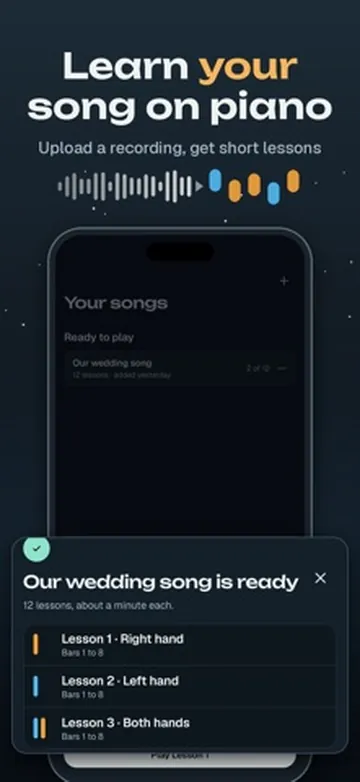
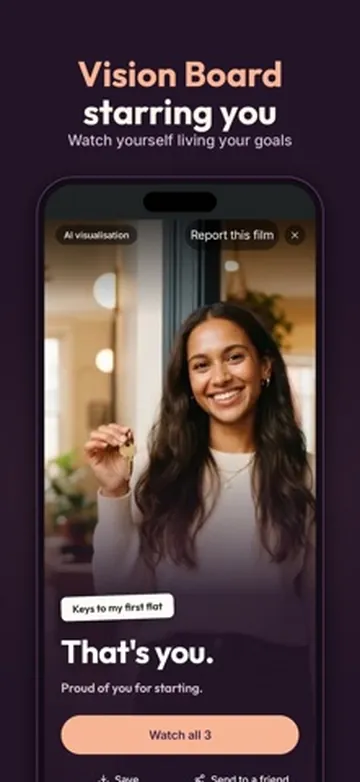
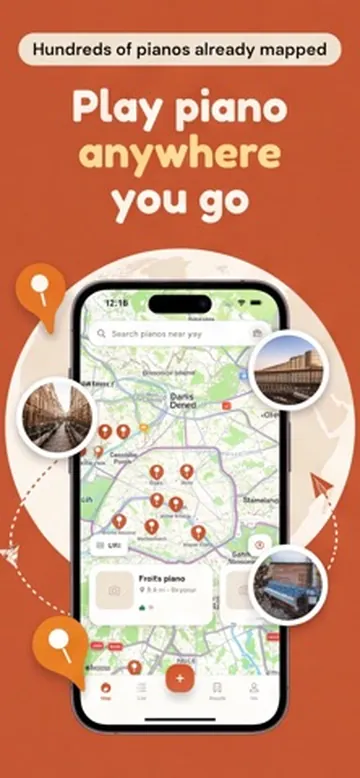
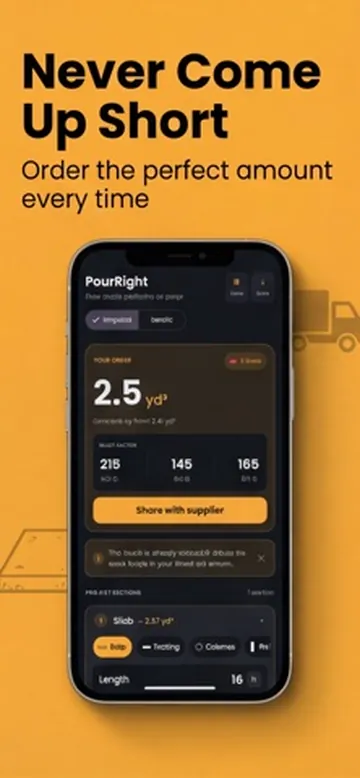
Store slides from four of our apps that are live today. See them all on the apps wall.
15. Website, legal pages and search pages
Every app gets its own small website on hosting you control, such as free Firebase Hosting: a landing page with real app screens, outcome-led text and store badges (or "coming soon"), a privacy policy, terms of use, and the account deletion page Google Play asks for. The app, the stores and the paywall all link to these pages, so store reviewers find working links.
If you want people to find the app on Google too, the SEO site skill builds guide pages from real complaints people post (one and two star reviews of competitors, Reddit, forums, the questions Google shows), checks whether AI answer engines cite you, and reviews your search traffic each week when you ask for it (this needs your own domain and Google Search Console). When your own domain is live, another skill moves every link (site, app links, share links, store listings) to it in one go. The pages are checked for design problems and colour contrast before they go live.
16. Publish, with your "yes"
You get one confirmation message with the release check result and any open items. Nothing is published until you type exactly "yes publish Sprout".
- Android: the worker uploads the signed build to Google Play.
- iPhone with a Mac: the worker writes a prompt file, you open Claude Code on the Mac and say "Read IOS_PROMPT.md and follow it".
- iPhone without a Mac: it rents a GitHub macOS machine for about 20 to 40 minutes per build. It tells you the cost before it starts.
Then the stores review the app, which takes days and is up to Google and Apple. A personal Google Play account made after November 2023 must also run a closed test with at least 12 testers for 14 days in a row before it can go to production. Company accounts are exempt. Plan for that early.
17. Day 7
A week after launch the worker checks crashes, store reviews (and drafts replies), keyword ranks, installs and trials. The systems-retro agent looks at what cost the most time and writes it down as lessons, so the next app goes faster.
18. After every step: feed the system
At the end of each step, the worker writes back what it learned: anything put off goes on the app's open list the same turn, a feature worth reusing becomes a ready-made feature, a prompt that worked is saved, a flow it did twice becomes a skill, a rule you stated goes into your app rules, and anything that went wrong becomes a lesson. This is how the tenth app goes faster than the first.
Where it always waits for you
| Moment | What you type |
|---|---|
| The idea is scored | "go", or another idea |
| The name | "go" for the recommended one, or your own |
| The general look | "1" or "2", or what to mix |
| Onboarding and paywall designs | "approved", or what to change |
| The design is finished | "design approved" |
| The product documents | "approved" |
| Anything that costs money | "ok" or "no", after it states the rough cost |
| Store storyboard and store text | "approved", or what to change |
| Merging finished work into main | "yes push <repo>" (unless you told it to merge finished milestones on its own) |
| Publishing to a store | "yes publish <app>" |
| Deleting a branch, repo or listing | a "yes" with the name spelled back |
It also stops when a step needs a person: a console click, a test on a real phone, a login. It asks instead of guessing.
The 15 specialists
You rarely call an agent by name. The session you talk to picks the right one when a task fits. You can still ask: "have the copywriter look at the onboarding text". Reviewers write their review to a file and say ship or fix first. Only the QA reviewer can block a change. Reviewers never edit code. Only the planner (the orchestrator agent) does, so two agents never change the same file at once.
| Agent | What it checks | What you get |
|---|---|---|
prompt-architect | Your rough ask ("improve the UI", "make it viral") against the app's documents, plan and recent work | A clear brief: goal, what is in and out, how to know it is done. You see a 3 to 6 line "here is how I read that" |
orchestrator | Works the plan one item at each step | The planner: does one item, asks the right reviewers, decides on their findings, runs the build gate, saves the change only when it passes |
idea-validator | Competitors on both stores, search demand, prices, reusable parts | A score from 20 to 100 and a plain go, park or kill |
aso-specialist | Store keywords and where the app ranks | Title, subtitle, keyword field, descriptions and captions in every language |
systems-retro | How the army itself worked: failures, wasted effort, slow steps | Up to 5 numbered proposals for you to approve, and new skills for repeated work |
copywriter | Every word a user reads | Text that sounds like a person, 3 options for key lines, or an old, new and why table |
onboarding-specialist | The first impression: the hook, goal capture, time to value, permission and signup friction | The onboarding plan at design time, then reviews of every change to it |
paywall-conversion-specialist | Paywall timing, trial framing, the main button, plan cards, fair prices per country, trust | The paywall plan, then reviews. It refuses tricks like fake countdowns or hidden cancel flows |
ui-ux-reviewer | Spacing, type, colour, tap targets, small phones, dark mode, empty and error states, accessibility | Whether a screen looks premium or generic, and what to fix |
design-fidelity-reviewer | A built screen against the approved design | A scored list of exact differences |
delight-specialist | Haptics, motion, small animations, loading and empty screens with personality | Small touches that make the app feel finished |
engagement-specialist | Streaks, milestones, celebrations, reminder timing, whether a mascot fits | Fair reasons for people to come back |
growth-virality-specialist | Share cards, referrals, invites, links that open the app, when to ask for a rating | Share and invite moments that fit the app. It refuses spam and contact scraping |
qa-engineer | Correctness, edge cases, offline, missing tests, build safety | The only reviewer that can block a change that would break the app |
release-manager | The store rules list, privacy labels, signing, version, screenshots per language | The exact confirmation message for you. It never publishes |
Three master prompts drive the biggest jobs: onboarding and activation, paywall and pricing, and growth and sharing. Each has a checklist the reviewers use. You can add your own master prompt and the army wires it in.
The skills, grouped
A skill is a step by step playbook Claude follows when your words match it. You do not need to name them. Say what you want and the matching one loads. The point of a skill is that it keeps the research, approval and review steps a quick home-made attempt would skip. There are more than 20 in the kit. Here they are by what they do for you.
Building an app
- App order: the whole journey above, started by "new app: <idea>", and "where are we on Sprout?" to see the step it is on.
- Design flow: the four design passes, Stitch and Claude Design side by side, until you say "design approved".
- Stitch prototype: native looking phone screens in Google Stitch, each checked, downloaded and sent with a preview link.
- Kickoff: scoring, set up, product documents and the reuse plan for a new app on the kit.
- Concepts: "do it like in my other app". Finds a proven feature and ports it instead of rebuilding it.
- Improvement loop: works a goal item by item until done (see the loop).
- Full audit: a whole-app review with every specialist, fixed in batches.
Getting it into the stores
- Store screenshots: problem to outcome slides you approve as a storyboard first, in every language, plus the feature graphic.
- Store rejection intake: paste a rejection from Apple or Google. You get the cause, the fix, a reply, a new rule, and a check of your other apps for the same problem.
- Play internal release: puts a signed build on Google Play's private test track in one go, with screenshots and release notes.
- Mac test hand-off: writes the test prompts for a real-device walk on your Mac, then turns the report into fixes.
- Safe push to main: full build, secret scan, and a merge that never rewrites history, only after you type "yes push".
The website
- Landing page: the app's site, legal pages and delete-account page on your own hosting.
- SEO site: guide pages built from real complaints, and a search traffic review when you ask.
- Domain move: moves every link to your own domain in one branch.
- Web design routine: the design tools in a fixed order, with an automatic check for design problems and contrast.
Keeping what works
- Rule capture: "apps should always..." is written into your app rules the same turn.
- Proven prompts: "save this prompt" keeps a prompt that worked, so the next app can use it again.
- Master prompt intake: saves a long expert prompt word for word and points the right agents at it.
- Research intake: keyword exports and research chats from other tools, saved unchanged and scored.
- Skill smith: turns a flow done twice into a new skill.
- Brief writer: the prompt architect as a skill, for any rough ask.
Running the machine (kit)
- Bot restart: "restart the bots" restarts workers safely, never in the middle of a build without saying so.
- Overload check: "the server is slow" finds the cause (memory, a stuck build) and writes the incident down once.
- Voice: send a Telegram voice note. It is turned into text on your own machine, echoed back, and acted on.
- Agent sync and portable export: keep agents the same everywhere, or pack one topic into a zip for another machine.
Each app made from the KAppMaker template also brings its own project skills (new screen, build features, design the paywall, run the quality checks), and any skill you make yourself lives next to these. The full list is in the skills docs.
The tools underneath: the kappmaker CLI and MCP
The agents decide what to do. Three tools do the hands-on work, so the agents run tested commands instead of clicking through websites or writing one-off scripts.
The kappmaker command line tool
kappmaker is a free, open source tool (MIT licence, installed from npm) that does the store and setup chores an app needs. The agents call it, and you can run it yourself too:
- Start an app: fetch the latest free KAppMaker template and rename it to your app in one go.
- Store records: create the app on App Store Connect and Google Play, fill in the listing per language, and the Google Play data safety form.
- Subscriptions: create subscription products and credit packs in both stores, with prices per country, and set them up in Adapty or RevenueCat.
- Firebase: create the project and connect the app for analytics, crash reports and remote settings.
- Art and store assets: logos, app icons in every size, mascots, store screenshots, translated screenshots and the Play feature graphic.
- Build and ship: raise the version number, make the signed Android build, upload to Google Play and the App Store, and build iPhone apps on a rented cloud Mac when you have no Mac.
Anything that costs money or publishes asks you first.
The KAppMaker MCP server
MCP (Model Context Protocol) is the standard way to give an AI tool new abilities. kappmaker mcp turns the command line tool into a set of tools your AI can call directly, with typed inputs instead of shell commands. One line connects it to Claude Code, the Claude desktop app, Codex or Gemini.
- Safe by design: no tool takes a key, token or password as input, secrets are removed from every answer, and long or paid jobs first return a plan with the cost. They only run when called again with a clear yes.
- Setting up App Army from your AI: the same server has tools to check a server, install the kit on it over SSH, sign in to Claude, add and pair a Telegram bot, and later check health, read logs, update, roll back and restart workers. This is what makes "Set up App Army on my server at 1.2.3.4" work: your AI drives the install and only comes back to you for the human steps.
- It never sees your machine's secrets: it connects with the SSH key path you name, and your licence or install code goes to the server inside the install itself, never on a command line.
The kit also wires up other MCP servers for you when you want them: Google Stitch for design, RevenueCat for subscriptions, Playwright for checking web pages in a real browser, and Astro for App Store keywords on a Mac. kappmaker-army mcp add stitch adds one, and it can add it for every AI tool it finds on the machine. Keys go into their own files, never into a chat.
The kappmaker-army tool (kit)
The kit's own command line tool, for the jobs around the apps: doctor (health check and fixes), status, workers (add, pair, restart, logs), the build gate, the safe push to main, web previews, your rules, keywords and ideas, scheduled jobs, the design tools and updates. Inside Telegram you rarely type it. The worker runs it for you when you ask in plain words.
Design tools
For the screens and the web pages, the kit installs a set of free design tools from their own authors: taste rules that keep pages from looking generic, a design checker that finds contrast and layout problems, colour and font suggestions, and write-ups of well-made products to learn from. The plugin lists the same tools with one install line each.
The improvement loop
The loop takes a goal ("make the first screens clearer"), turns it into a checklist, and works through it while you do something else. You start it in plain words, or with /kappmaker-app-army:self-improve-loop <goal> in the plugin.
One pass, step by step
- Your goal becomes a brief, and the brief becomes a plan in
PLAN.md: small items under milestones, each tagged with the reviewers it needs, ordered by impact. - A fresh planner takes the top unchecked item (or a few small ones of the same kind). Anything that touches money, purchases, what a paying user gets, the database or analytics always goes alone.
- It makes the change and asks one or two matching specialists to review it.
- It decides on each finding, accepts or rejects it, and writes down why.
- It runs the build gate. Green (it passes): the item is ticked and saved as a commit, a snapshot of the code in git. Red (it fails): nothing is ticked.
- It reports back in a few lines, and the next pass starts on its own.
Why it stays safe
- The build has the last word. Reviews are advice. A real build and the real tests run after every item. A red (failing) build is never ticked and never forced green. In the plugin the gate is your project's own test command. If your project has no tests, the plugin loop runs without a check, so add a test command first.
- Specialists review every change, and only the planner edits code, so reviews cannot contradict each other on disk.
- It has limits. It stops when the plan is done, after 40 passes in the plugin or for a new app on the kit (200 otherwise), after 8 passes in a row with no item finished, so it cannot burn your usage going in circles, or when the build is red.
- It starts from a saved point. A git checkpoint (a saved copy of the code you can go back to) is taken first. Stopping the loop undoes nothing. Saved work stays.
- Your to-dos stay yours. Steps only a person can do go into a separate file. The loop never picks from it.
The full audit, when you want one
For an app that already exists, or before a big launch, say "do a full audit of Sprout". It reviews the whole app with every specialist, merges their findings into one plan, fixes it in batches with a fresh planner for each batch, and closes with a final review. You can add a quiet observer that times the run and reports where time was wasted.
How the army gets better by itself
App Army writes down what goes wrong and changes its own rules only after you approve. The one thing it changes on its own is skills: the weekly retro may add or fix up to 3 per run, as files you can read and undo.
- Lessons and failure stories. Any worker adds a lesson when something went wrong or slow, and lessons are read before similar work. The kit starts with 169 lessons and 22 failure stories from our own apps, so you skip mistakes we already made.
- Your rules. Say a general rule once ("the paywall always comes right after onboarding") and it goes into your app rules, which every project and every reviewer reads.
- Proposals you approve. The weekly retro reads the week's logs and failures and writes at most 5 numbered proposals, each with the evidence and the risk. Nothing in them is applied until you reply "approve 12" (or "reject 12").
- Skill smith. When the army notices it is doing a multi-step job it did before, it notes it, and the second time it turns it into a skill. If a skill turns out wrong, it fixes the skill in the same session.
- The idea scout. Every Saturday, if you turn it on, it finds and scores 3 to 5 new app ideas and adds them to your backlog. It never touches an app.
- Nightly health. Every morning, if you turn it on, one short message: how far each app is, changes not yet saved, which worker is on what, free disk and memory, leftover build processes and proposals waiting for you. It uses no Claude usage and kills nothing.
The scheduled jobs are off until you run kappmaker-army routines on. They never push to git, never ask questions, and the runner puts back your own files (your memory, your settings, the safety rules) if a job changed them.
Safety, cost and privacy
The guard
The guard checks every shell command and every file read or write before it runs. It catches the things you cannot undo: force pushes (which overwrite the saved history of your code on GitHub), pushes to your main branch, deleting files outside the project, wiping work that is not saved yet, deleting a database, deleting a GitHub repository or making it public, publishing to a store's production track, printing or reading secret files like .env, and writing an API key into code.
In the plugin, it asks you to choose Proceed or Cancel and shows what would happen, for example the exact files a delete would remove. In the kit, it blocks these outright, and if you really mean one you allow it once from your own terminal, which the agent cannot do for you. When nobody can answer (a Telegram bot running on its own), both refuse. It works even in the mode where Claude acts without asking. On a server, a worker will not start in that mode at all if the guard is missing.
It is a seat belt. It reads the command text, so a script written to delete files can get past it. Keep your work on GitHub and keep backups.
Your server, locked down
Your workers run with permission to act on their own, so the server around them has to be tight. On a new server the installer does this before anything else, and checks the result instead of assuming it:
- A separate user for the army. The workers run as their own user, not as the server's administrator. That user can start, stop and read the logs of its own workers through one small, strict helper, and nothing else as administrator. By default it cannot become the administrator.
- Key-only logins. Password logins over SSH (the secure way you connect to a server) are switched off, so only your own key gets in. If no key is set up yet, it leaves passwords on and warns you, so you are never locked out.
- A firewall. Everything coming in is blocked except SSH. If the server already runs other public services, it prints the exact commands instead of switching the firewall on blindly.
- Break-in protection and updates. Repeated failed logins get blocked automatically, and security updates install by themselves.
- Optional private network. You can go one step further and close public SSH entirely, so the server is only reachable from your own devices over a private network.
- Your licence key stays private. It is read from a hidden prompt or swapped for a one-time install code, never printed or logged, and every download is checked against its published checksum before it is unpacked.
The board link works once and expires after ten minutes, and the board can only show, never change, anything.
The token saver
Long chats get slow and expensive. When a chat is 70% full, the plugin has Claude summarise it into a handoff note (goal, what is done, decisions, next steps, open questions) and carries on from it. The next chat in the same project starts from that handoff. Long reports from helpers are shortened, with the full report kept in a file. The session you talk to hands heavy reading and builds to helpers, so the session you talk to stays small. On a server, workers also start a fresh session at natural breaks, after writing a handoff, so they stay fast for days.
Money
Nothing that costs money happens without you. Before any paid AI image or video, a cloud Mac build, a store fee or a server change, the worker states the rough cost and waits. During development, paid AI calls are faked, and the first real test uses the cheapest model. If your Claude plan hits its limit on a server, a small watchdog picks only the free "wait" option and tells you when it resets. It never picks an option that spends money.
Privacy
We never see your code, your apps, your chats or your keys. Your code goes to your own private GitHub repository, your chats go to Anthropic as with any Claude Code use, and the tools you connect (Telegram, Stitch, the stores) talk to their own services. Nothing goes to us except the kit's licence check: your licence key and a random install id. No tracking, no usage reports. The plugin itself sends nothing to us or anyone else, and every release is tested for that. A few skills reach a service only when you ask for that job, with your own account, for example publishing your website. Your Claude logins, bot tokens and API keys stay on your machine, in their own files, and the agents are told never to print them.
Memory: your rules, kept
Chat history is forgotten. App Army keeps what matters in two plain text files you can read and edit:
- Your memory file (
MEMORY.md) holds personal preferences and one-off decisions: "remember: Adapty, not RevenueCat", "phones only, no iPad screenshots". Say "remember...", "forget..." or "what do you remember". - Your app rules hold general rules for every app: "never show the paywall before the first result".
Both are read at the start of every project and every review. In the plugin, the nearest memory file is added to every chat as it is right now, so a change you make shows up at once. The guard stops anything from wiping most of your memory file in one go, and scheduled jobs are not allowed to change it at all. If you correct the same thing twice, ask for it to be saved, and you will not have to say it a third time.
Updates
- Kit: type
kappmaker-army update, or tell your bot "update yourself". It shows what is new, downloads the new version, checks it is the exact file we published, and keeps all your own files: memory, lessons, rules, settings, your own skills, your apps. If you changed a file the new version also changed, yours stays and the new one is saved next to it.kappmaker-army update --rollbackgoes back. Nothing is ever pushed to you; you decide when to update. - Plugin: refresh the marketplace and update the plugin in Claude Code, or turn on auto-update once. The steps are on the plugin page and in the plugin's status command. What changed in each version is in the changelog.
Every 1.x version is included in your purchase. A future version 2 may be a paid upgrade. Whatever you have keeps working.
The mentor pack
The Mentor tier adds the research we used to pick and position our own apps. The kit gives you the method. The mentor pack gives you a head start: months of keyword pulls and scored ideas, so your first idea is not a guess.
The keyword bank
More than 11,000 App Store keyword rows we pulled across several countries, each with a popularity score, how hard it is to rank for, and which apps rank for it now. The numbers are from October and November 2026. You do not have to read 11,000 rows. It comes sorted for you:
- Golden keywords: the short list of searches that are popular enough to matter and still easy enough for a new app to rank for. This is where most of our app ideas started.
- Keyword groups: open clusters of related searches, plus "bridge" keywords that connect one niche to the next, so one app can rank for a whole group instead of one word.
- Seven niche summaries (couples, pilates, piano and music, hair and barber, AI video, psychology, vision boards): what is golden in each niche, where, and why.
The Google Play keyword method
Google Play gives you no keyword numbers at all, which is why most people guess. The method gets them for free. Play's own search suggestions, checked country by country, show what people type and how popular it is. The ratings and size of the top 10 apps for each search show how hard it would be to beat them. Together that gives each keyword a demand score and a competition score. A small calibration step checks the Play scores against the App Store numbers in your bank, so the two stores speak the same language. A skill runs the whole thing step by step and adds the results to your bank, ready for your Play title and short description. It reads public Play pages automatically. Google's terms may not allow that, so you run it at your own risk and keep the volume low.
About 48 scored app ideas
Each idea is scored with the same rubric the idea checker uses on yours. Six things, weighted: how many people want it, whether they pay for apps like it, how weak the current apps are, how much of it can be built from features that already exist, whether it has a natural moment people want to share, and whether there are store keywords it could realistically rank for. Every idea comes with its evidence and a verdict: go, park or rejected. The rejected ones stay in on purpose. Reading why an idea that sounds good fails is the fastest way to learn to judge your own.
Also included
- Two designed PDFs of the keyword bank and the ideas, to read away from the screen.
- A 60 minute call and 3 months of private support in Discord, with replies within 2 working days.
How you use it
Mostly you do not open it yourself. The idea checker starts from the golden keywords and checks the backlog for near duplicates before it scores a new idea. The store listing agent reads the niche summary for your app's category. The weekly idea scout looks for ideas that would rank for golden keywords. When you want to browse, say "show me the best go ideas from the mentor backlog". Search numbers change over time, so re-check the few keywords you act on before you commit to an app.
What it does not do, and what you need
What you still do yourself
- Store accounts. A Google Play developer account ($25 once) and, for iPhone, the Apple Developer Program ($99 a year), paid by you to Google and Apple, plus their API keys. The worker walks you through the keys. It never creates or pays for accounts.
- Your decisions. The idea, the look, the store text, every publish and every merge into main.
- A few console forms that exist nowhere but a website, with the answers written for you.
- Tests on a real phone, and finding testers for Google Play's closed test if your account needs one.
- Checking the work before you say yes. The agents make mistakes.
What you need
| You need | Details |
|---|---|
| Claude Code and your own Claude plan | A Pro plan works for small runs at your keyboard. For bots running on a server all day, a Max plan or an API key is the realistic minimum. |
| A computer | macOS or Ubuntu. Windows is not supported. |
| A server, only for always-on bots | Ubuntu 22.04 or 24.04 on an Intel or AMD (x86) server, not ARM, with 4 CPU cores, 8 GB of memory or more and about 80 GB of disk. You pay the provider monthly. More bots need more memory. |
| A Mac, only for some iPhone steps | Not required. Without one, iPhone builds run on a rented GitHub Mac for about 20 to 40 minutes each. |
| Google Stitch, optional | A Stitch API key (a password-like code that lets the tool use your Stitch account) for the Stitch half of the design. Without it, the design is done in the Claude Design canvas only. |
| Free accounts | GitHub, Firebase (the free plan covers most apps), and Adapty or RevenueCat for subscriptions. |
| Optional costs | A domain for the app's website, paid AI images or video (always asked first), cloud Mac minutes. |
For developers
- Models: the planner, the brief writer, the idea checker, the retro, the copywriter and the QA reviewer run on Opus. The other reviewers run on Sonnet. You can change any agent's model, and when you are near a usage limit one command moves the heavy agents to a cheaper model until it resets.
- Kit tools it installs: JDK 17 and the Android SDK, Python 3, Node 20 or newer, git, and the free
kappmakercommand line tool for stores, Firebase, subscriptions and builds. - Token saver numbers: handoffs are reused for 48 hours, and helper reports longer than 3,000 characters are shortened. Both are settings.
- Telegram: bots use Anthropic's official Telegram plugin in the normal Claude Code program, under systemd, which restarts them after a crash or reboot.
App Army works with Claude Code. It is not made by or affiliated with Anthropic.
The plugin and the kit: what you get and the prices
There are two ways in. The plugin adds App Army to Claude Code in any project, in any programming language, in about five minutes. The kit is the full system we run ourselves: the plugin plus everything that needs a machine of its own, like bots that work around the clock from Telegram.
| App Army for Claude Code (plugin) | App Army (kit) | + Mentor | Build With Me | |
|---|---|---|---|---|
| Price, one time | $49 for the first 5 buyers, then $69, $79, and $99 after that | $179 launch, later $249 | $399 launch, later $499 | $1,499, 5 a month at most |
| 15 agents, the skills, 3 master prompts | yes | yes | yes | yes |
| The full app order, idea to day 7 | yes | yes | yes | yes |
| Improvement loop, guard, token saver | yes | yes | yes | yes |
| Which projects | any project; the loop uses your own test command. Tuned most for Kotlin Multiplatform, so some reviewer notes only apply there | the same, plus extra tools made for the free KAppMaker template (Android and iPhone from one codebase) | as kit | as kit |
| Telegram bots on a server, several at once | yes | yes | yes | |
| One command install on a laptop or a server | yes | yes | yes | |
| Project board, claims, one build slot | yes | yes | yes | |
| Nightly health, weekly idea scout and retro | yes | yes | yes | |
| 54 proven features to reuse, 15 with full code | yes | yes | yes | |
| 169 starter lessons, 22 failure stories | yes | yes | yes | |
| Keyword bank, Play keyword method, scored ideas | yes | yes | ||
| 60 minute call, 3 months of private support in Discord | yes | yes | ||
| We build your app with you on a livestream, up to the store | yes |
Prices are the ones on the pricing page in November 2026. The plugin's price climbs in steps as real sales come in, so early buyers pay less. Every tier is a single payment, and every 1.x update is included. One licence is one developer. The kit's licence key works on 3 computers. There are no refunds, because you get the full source the moment you pay, so read the docs first. They are public.
Which one to pick
- You already use Claude Code and want the agents, the app order and the loop in your own projects: start with App Army for Claude Code.
- You want bots that keep working while you are away, on a server you message from Telegram: the App Army kit.
- You want our keyword data, scored ideas and a call to set you on the right track: App Army + Mentor.
- You want us to build your first app with you on a livestream, up to the store: Build With Me, five places a month.
If you are not sure yet, read the docs first. They are the same pages buyers get, and they show every step before you pay.
FAQ
Do I need to know how to code?
No. You type plain sentences, paste a command or a sentence to set it up, and fill in store forms with answers the worker writes for you. You do not need to know Kotlin, Gradle or Xcode. If you do not read code, you check the result instead: install the build on your phone, tap through it, and read the summary before you say yes.
What is the difference between the plugin and the kit?
The plugin adds the 15 agents, the skills, the full app order, the improvement loop, the guard and the token saver to Claude Code, in any project. The kit is the plugin plus what needs its own machine: Telegram bots that run all day, a one command install, the project board, scheduled jobs, 54 reusable features and the starter lessons.
Can it build an iPhone app without a Mac?
Yes. Without a Mac, iPhone builds run on a rented GitHub macOS machine for about 20 to 40 minutes per build, and the worker tells you the cost before it starts. With a Mac, the worker writes a prompt file and you run it in Claude Code on the Mac.
Which Claude plan do I need?
A Pro plan works for small runs on a laptop while you are at the keyboard. For bots that run on a server all day, a Max plan or an API key is the realistic minimum, and several bots need more.
Does it publish or spend money on its own?
No. It publishes only after you type "yes publish" and the app name. Before anything that costs money, such as paid AI images, a cloud Mac build or a store fee, it states the rough cost and waits for your OK. The guard also blocks production publishing when nobody is there to confirm.
What do you see of my code and my apps?
Nothing. The only thing the kit sends us is the licence check: your licence key and a random install id. The plugin sends us nothing. Your code goes to your own private GitHub repository, your chats go to Anthropic as with any Claude Code use, and tools you connect, like Telegram or Stitch, talk to their own services.
Does it work on Windows?
No. App Army runs on macOS and Ubuntu. On Windows, rent a small Ubuntu server and message your bot from your phone, or use a Mac.
Is this allowed by Anthropic's terms?
As far as we can tell from Anthropic's published terms, yes. This is not legal advice. You use your own Claude account in the official, unmodified Claude Code program, Telegram control uses Anthropic's official Telegram plugin, and we never resell or pass on Claude usage. App Army is not made by or affiliated with Anthropic.
Can I get a refund?
No. You get the full source the moment you pay, so there are no refunds. The docs are public, so you can read every step before you buy.
What is the KAppMaker MCP?
It is the kappmaker command line tool offered as MCP tools, the standard way to give an AI new abilities. Connected to Claude Code, the Claude desktop app, Codex or Gemini, it lets your AI create store records, subscriptions, store assets and builds, and set up App Army on a server for you. No tool takes a password or key as input, and paid or publishing jobs return a plan first.
Can I use it for client work?
Yes. The apps you build and their code are yours. One licence is one developer, and the kit is not installed on a client's computers unless they buy their own licence.