From app idea to the App Store and Google Play.

Send one message today. AI agents build your app with you and publish it to both stores when you say yes.

Get App Army
You send an app idea, the agents build and check it, and it goes to the App Store and Google Play

Most app ideas stop between the idea and the store

You have the idea. Claude can write code. Somewhere between the two, most apps stall.

  1. You don't know where to start

    Screens, accounts, payments, store rules. All at once.

  2. It stalls halfway

    The first screens come fast. Then every fix breaks something else.

  3. It works, but feels rough

    People open it, get lost and never come back.

  4. The store steps lose you

    Screenshots, listing text, privacy pages and review rules nobody explained.

You can start even if you have never built an app.

You don't need to know Linux, Kotlin or Gradle. These guides walk you through the rest in plain words.

You need a paid Claude plan, and a Mac if you want to build the iPhone version yourself.

Most of the setup runs on its own. These four steps are all you do.

  1. Paste one command

    On your laptop or a fresh server. It sets up and checks everything.

  2. Sign in to Claude

    Your own Claude account, in your browser. We never see it.

  3. Make your Telegram bot

    Send /newbot to @BotFather and paste the token it gives you. It stays on your machine.

  4. Send your bot a message

    It pairs with you, so only you can talk to it. Then send your idea.

You copy a few commands into a terminal, the text window on your computer. If something looks wrong, one command checks your setup and says what to fix.

Still stuck? Write to me How you start

I shipped 25 apps and sold 3. These are the agents I use.

Every lesson from those apps became a skill, a checklist or a rule for an agent. Picture your own app in both stores, built the same way.

Mirzamehdi Karimov Mirzamehdi Karimov Maker of KAppMaker App Army
  • 25 apps shipped with it
  • 3 of those apps sold
  • 19K downloads across those apps

See my apps LinkedIn GitHub My full story Read the full App Army guide mirzemehdi.com

You could build it with Claude Code alone. Here is what you would be missing.

Alone, you go round and round: fix this, fix that. Every round costs time and tokens. App Army builds in order and checks as it goes, so most apps reach the store in days, not weeks.

You could build it with Claude Code alone. Here is what you would be missing.
What you get Claude Code on its own With App Army
Your idea checked before any work starts You set it up Included
15 agents who each check one part of your app You set it up Included
A plan with a finish line, done in order You set it up Included
Store screenshots, store text and your app website You set it up Included
Mistakes written down so they do not come back You set it up Included
Risky steps wait until you say yes You set it up Included
See the full comparison

From $199, paid once. No subscription.

Get App Army

From "new app" to the store, in 18 steps

Send "new app:" and your idea. The agents work through the same order every time, and stop only at the steps where you decide.

8 of the 18 steps wait for you. The agents do the rest.

Idea

  1. 1. Your idea, scored

    Go or stop.

    You decide
  2. 2. A name

    Pick one of three names.

    You decide

Design

  1. 3. The look, designed twice

    In Google Stitch and in Claude Design. Pick a look.

    You decide
  2. 4. Onboarding and paywall

    Approve the first screens and the offer.

    You decide
  3. 5. Every other screen

    Each screen and state, in your chosen look.

  4. 6. Designs checked

    Side by side, by four reviewers. Say "design approved".

    You decide

Build

  1. 7. Project set up

    A fresh project and a private GitHub repo.

  2. 8. Product docs

    What the app does and for whom. Approve them.

    You decide
  3. 9. Reuse plan

    Features that already work in other apps are reused.

  4. 10. First version built

    Screen by screen, against the approved design.

  5. 11. Improvement pass

    Starts on its own: onboarding, paywall, design, quality, growth.

Ship

  1. 12. Copy check

    Every word in the app and the store listing.

  2. 13. Release check

    The store checklist. It refuses while any copy problem is open.

  3. 14. Store listing

    Keywords, screenshots and store text. Approve them.

    You decide
  4. 15. Website and legal pages

    A landing page, privacy policy and terms.

  5. 16. Submit

    Nothing goes out until you type "yes publish".

    You decide

After launch

  1. 17. Day 7 check

    Crashes, reviews, search ranks and installs.

  2. 18. Lessons kept

    After every step, so the next app goes faster.

Read the full guide, step by step

15 agents, each one owns a part of your app

Claude calls the right one when a task fits. Or you ask for one by name.

The 15 agents. Pick one to see the part of your app it works on.

Brief writer

Turns your rough idea into a brief with a clear finish line.

Project lead

Keeps the order: each part finished before the next starts.

Idea checker

Tells you if people want it before you build it.

Onboarding expert

Gets new users to the good part fast, so they stay.

Paywall expert

A fair offer at the right moment. No tricks.

Growth expert

Adds moments people want to share with a friend.

Habit expert

Gives people reasons to come back, like streaks worth keeping.

Delight expert

Small touches and animations that make your app feel cared for.

Copywriter

Every word in your app reads like a person wrote it.

Design reviewer

Checks your screens on small phones, in dark mode and when empty.

Pixel checker

Makes sure what gets built matches the design you approved.

Store search expert

Puts the words people search for into your store listing.

Tester

Catches more bugs before your users see them.

Release checker

Runs the store checklist before Apple or Google see your release.

Coach

Helps the agents learn from your project. You approve every change.

Know what to build

Keep people coming back, and earn from your app

Make it look and read like a top app

Ship safely and keep improving

See all 15 agents
  1. Know what to build

    3 agents

    • Brief writer Turns your rough idea into a brief with a clear finish line.
    • Project lead Keeps the order: each part finished before the next starts.
    • Idea checker Tells you if people want it before you build it.
  2. Keep people coming back, and earn from your app

    5 agents

    • Onboarding expert Gets new users to the good part fast, so they stay.
    • Paywall expert A fair offer at the right moment. No tricks.
    • Growth expert Adds moments people want to share with a friend.
    • Habit expert Gives people reasons to come back, like streaks worth keeping.
    • Delight expert Small touches and animations that make your app feel cared for.
  3. Make it look and read like a top app

    4 agents

    • Copywriter Every word in your app reads like a person wrote it.
    • Design reviewer Checks your screens on small phones, in dark mode and when empty.
    • Pixel checker Makes sure what gets built matches the design you approved.
    • Store search expert Puts the words people search for into your store listing.
  4. Ship safely and keep improving

    3 agents

    • Tester Catches more bugs before your users see them.
    • Release checker Runs the store checklist before Apple or Google see your release.
    • Coach Helps the agents learn from your project. You approve every change.

What you can do on day one

  • Say "make it better" and get a plan you can tick off.

  • Get a ranked list of fixes for your onboarding or paywall.

  • Make store screenshots and a Google Play feature graphic in the languages you sell in.

  • Put your website, privacy, terms and delete-account pages live on your hosting.

  • Paste an App Store rejection. Get the cause, the fix and a reply.

  • Do something twice, save it as a skill, never explain it again.

Ship it, then let it keep getting better

Give the loop a goal, like "clearer first screens". It works while you do other things, and never builds on something broken.

1 Plan 2 Change 3 Check 4 Learn
  1. PlanA short plan you can check.
  2. ChangeThe right agent makes one change.
  3. CheckYour tests must pass, if you have them, and a reviewer must agree.
  4. LearnMistakes are written down, so the next round doesn't repeat them.

It stops when the plan is done, after 40 rounds, or after 8 rounds with no progress.

Less of your Claude plan goes to waste

Your Claude plan has limits. App Army spends them on your app, not on redoing work.

  • Shorter chats

    It tidies the chat before it gets too long and leaves a note to pick up from.

  • No working it out again

    Skills and checklists hold the steps, so Claude skips the guesswork on every app.

  • Mistakes caught early

    Each part is checked before the next one starts, so less work gets thrown away.

  • Waits instead of starting over

    Near your limit it can switch to a cheaper model. At the limit it waits, then carries on from its notes.

From $199, paid once. Every v1 update included.

Get App Army

Not sure what to build? Start from a scored idea.

App Army + Mentor adds scored app ideas and a keyword bank, as PDFs and raw files, plus a 60-minute call for your questions.

See App Army + Mentor

What your agents do while you sleep

Send an idea from your phone tonight. Tomorrow, the board shows how far it got.

Your App Army
  1. Your App Army: Your App Army is ready. Tell me your app idea.
  2. You: new app: a plant watering reminder
  3. Your App Army: Idea checked. People search for this, and the top apps get weak reviews for their reminders. Go or stop?
  4. You: go
  5. Your App Army: Three names for it: Sprout, Wetly, Leafnote. Pick one.
  6. You: Sprout
  7. Your App Army: Two looks are ready, one from Google Stitch and one from Claude Design. Pick a look.
  8. You: the green one
  9. Your App Army: Built and checked. Store listing, screenshots and website are ready. Type "yes publish" to submit.
  10. You: yes publish
Example chat with your bot, shortened

You message them from Telegram

Send "new app: a plant watering reminder" from your phone, and the work starts on your server.

A week of routines on your server
  • Health check, every night
  • New app ideas, once a week
  • What to improve, once a week
  • They don't stall on you

    If an agent gets stuck or hits your Claude limit, it starts fresh or waits, then picks up from its notes.

  • You can check in anytime

    A board shows every app, how far it is and what each agent is doing.

One app, in the App Store and Google Play

The agents write it once in Kotlin Multiplatform, so it runs on iPhone and Android. You don't need to know Kotlin. The agents write it and tell you what they did.

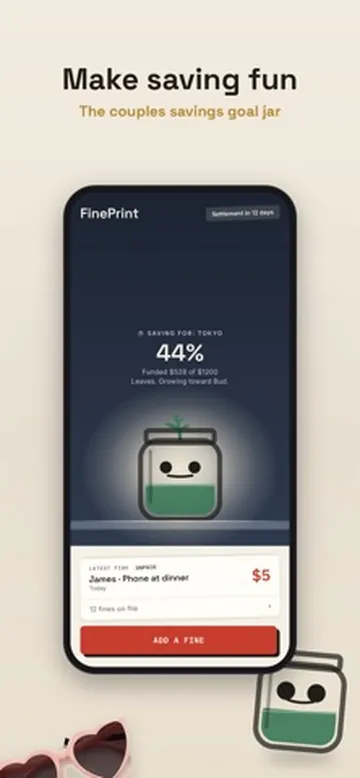
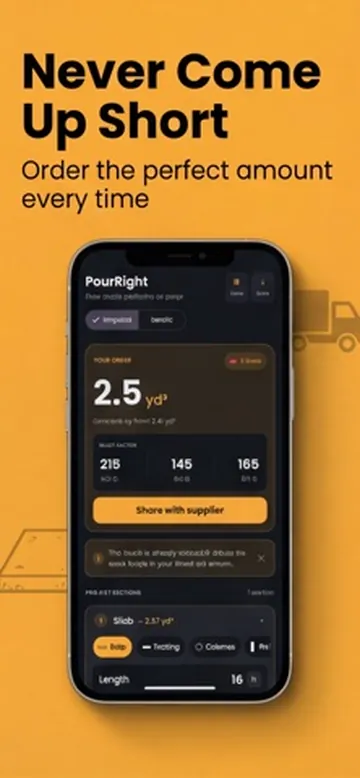
Zenbo store screenshot FinePrint store screenshot Remimi store screenshot

On your laptop or your own server

Start on your laptop. Move to a server when you want it working while you are away.

On your laptop

Claude Code in a terminal, with you at the keyboard. The easiest start, and with a Mac you can build the iPhone version yourself.

  • macOS or Ubuntu
  • Claude Pro works for small runs

On a server you rent

Rent a fresh Ubuntu server from any provider. One command sets it up safely and keeps your agents running, and you talk to them from Telegram.

  • Ubuntu 22.04 or 24.04
  • 4 CPUs, 8 GB memory, 80 GB disk
  • DigitalOcean, AWS, Vultr, Hetzner or a computer at home

How you start

No app-building experience needed. After you pay, My purchase gives you this same line with your own one-time install code.

The full kit. Paste one command on your laptop or on a fresh server you rent. It sets everything up, then walks you through signing in to Claude and making your Telegram bot.

On your laptop
curl -fsSL https://kappmaker.com/install.sh | bash
On a server
curl -fsSL https://kappmaker.com/install.sh | bash -s -- --server
Read install.sh before you run it

The full kit, set up for you by the AI you already use. Connect KAppMaker with one line, then send one sentence. It works over your own SSH key and stops only for what needs you: a Claude sign-in link, your Telegram bot token in a private form, and one message to your new bot.

Connect it once (Claude Code, needs Node.js 22.12 or newer)
claude mcp add --scope user kappmaker -- npx -y kappmaker@latest mcp
Then say
Set up App Army on my server at 1.2.3.4
The line for the Claude desktop app, Codex or Gemini CLI

Only the agents, inside Claude Code, for any app stack. Accept the GitHub invite, then paste two lines into Claude Code.

Claude Code
/plugin marketplace add KAppMaker/app-army-mod
/plugin install kappmaker-app-army@app-army-mod

Your code, your Claude login and your bot token stay on your machine. The only thing we receive is your licence key and a random install id.

Pay once. It's yours.

No subscription, and no extra charge on your Claude use.

App Army

Everything in the plugin, and your agents keep working on a server when you close the laptop.

$199

Launch price. It goes up to $249 later.

One-time. One developer.

Get App Army
  • All 15 agents and skills from the Claude Code plugin
  • Agents you message from Telegram, and a page that shows how far each app is
  • One-command install, on a laptop or any server
  • A helper command and scheduled checks
  • Ready-made app features, and code for iPhone and Android
  • Free v1 updates

Not included

  • A keyword bank and the method for researching Google Play keywords
  • Scored app ideas
  • A 60-minute call and 3 months of private Discord
  • Your app built with you, live, until it is sent to the stores

App Army + Mentor

Recommended

App Army, plus what to build and someone to ask when you get stuck.

$249

Launch price. It goes up to $299 later.

One-time. One developer.

$50 more than App Army.

Get App Army + Mentor
  • Everything in App Army
  • A keyword bank, as a PDF and raw data
  • Scored app ideas, as a PDF and raw files
  • One 60-minute call
  • 3 months of private Discord

Not included

  • Your app built with you, live, until it is sent to the stores

Build With Me

Your app built with you, live, until it is sent to the stores.

$1,499

One-time. One developer.

Ask for a place
  • Everything in App Army + Mentor
  • Your app built with you on a livestream
  • All the way to store submission
  • 5 places each month

Paid to others, not to us: a paid Claude plan, an Apple developer account ($99 a year) and a Google Play developer account ($25 once). A server only if you want one.

Already have the plugin? What you paid for it comes off any of these.

Compare every option Only want the Claude Code plugin? See App Army for Claude Code

Questions people ask first

What is App Army?

App Army is agentic mobile app development you run on your own laptop or server. A team of AI agents builds your mobile app with you, from the first idea to the App Store and Google Play, and keeps improving it after launch. On a server it keeps working when you close the laptop, and you message it from Telegram. It is a one-time purchase and uses your own Claude account.

What does "agentic mobile app development" mean?

It means AI agents do the work of building your app with you, each with one job. One plans, one builds, and others review onboarding, the paywall, design and testing. You decide what to build and approve what ships, and the agents check each other's work.

Do I need app-building experience?

No. If you can paste one command and send a Telegram message, you can start. The installer sets everything up, a guided first run connects Claude and your bot, and you describe your app in plain words. You need a paid Claude plan, and a Mac if you want to build the iPhone version yourself. You check what the agents did before anything is published or costs money.

Where does my data go?

It stays on your computer. Nothing runs on our servers, and nothing is collected except the licence check: your key and a random install id, with no computer name or hardware details. There is no tracking, no usage report and no crash report. Claude Code itself talks to Anthropic as it always does, and tools you add, like Telegram, talk to their own services.

Is this allowed under Anthropic's terms?

As far as we can tell from Anthropic's published terms, yes, but this is not legal advice. You use your own Claude account or API key, and we never sell, share or pass on Claude use. Everything runs in the normal, unchanged Claude Code, and Telegram uses Anthropic's own Telegram plugin. Anthropic changes its terms, so check their current Claude Code legal page yourself.

Which Claude plan do I need?

On a laptop, building one app with you at the keyboard, Pro works for small runs, and you will hit limits on long ones. For agents that run all day on a server, use Max or an API key. Several agents at once need more room again. The kit can switch to a cheaper model when you are close to a limit.

Laptop or server?

Either, or both. On a laptop you talk to Claude Code in a terminal, which is the easier start. Or rent a fresh Ubuntu server, and one command sets it up safely and keeps your agents running so you can message them from Telegram. We never create, run or pay for your server.

Do I need a Mac for iOS?

To build and upload the iPhone version yourself, yes, or a cloud Mac through kappmaker ios-ci. Android builds and Google Play uploads run on Linux. Many people run their agents on a Linux server and keep a Mac for the iOS steps; the agents write those steps down for you to run there.

Can I get a refund?

No. You get the full source the moment you buy. The docs are public, so please read them first. Where local law gives a right to cancel digital purchases, checkout asks you to agree that delivery starts at once.

All questions Read the docs

You already have the idea. Send it.

Pick App Army to build from Telegram on your own server, or the plugin if you work in Claude Code.